The Website Blocker That Can't Be Uninstalled
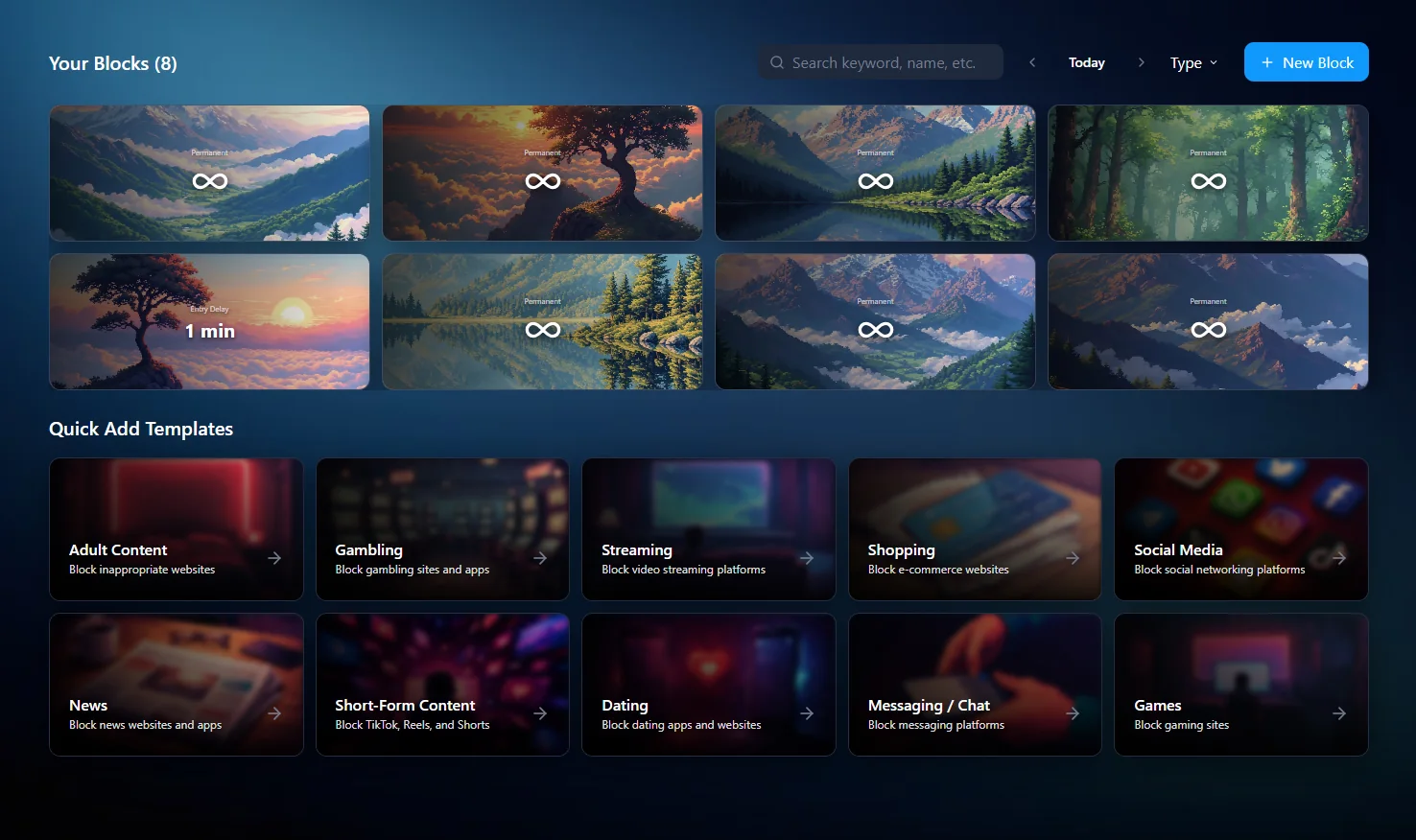
Ascension is a Windows website blocker that stays locked even when you try to remove it. While a block is locked, you cannot edit it, close the app, or uninstall it — the block holds. If adult content is what you want gone, read the porn blocker that can't be uninstalled.
Available on Windows 10 & 11
Why Most Website Blockers Fail at the Exact Moment They Matter
Browser extensions fail because removing them takes one click. If I'm gonna be honest, I would remove them too. If my brain sees a great reward that is only one click away, what would stop it from acting on it?
They also only work inside the browser they are installed in. Block a site in Chrome and Firefox is still sitting there on your desktop, one download away.
Desktop apps are better. Typically these provide better friction than standalone extensions, but often they are easy to bypass too. So the protection holds right up until you're actually trying to break it, which is the only test that counts.
A block that fails under pressure is not useful.
How Ascension Works
Ascension is built with the bypasser in mind. We recognize that in the moment, an urge can be so strong that no willpower will stop it. Three questions define every block.
What gets blocked
Website
An entire domain (instagram.com).
URL
One part of a site, leaving the rest usable (youtube.com/shorts).
Search word
Blocks the term in search engines only.
Keyword
Blocks the term anywhere it appears.
How it gets blocked
Not every distraction deserves the same treatment. Some things should be gone permanently. Others just need to be gone between 9 and 5.
Always block
On 24 hours a day.
Time limit
A daily allowance; blocked once you've spent it.
Entry delay
A forced wait before the site opens.
Scheduled block
Allowed only on chosen days and hours (Netflix on weekends, nothing else).
How it gets enforced
To make a block undeletable or uneditable, it needs a lock. Ascension provides a range, from small friction to a wall.
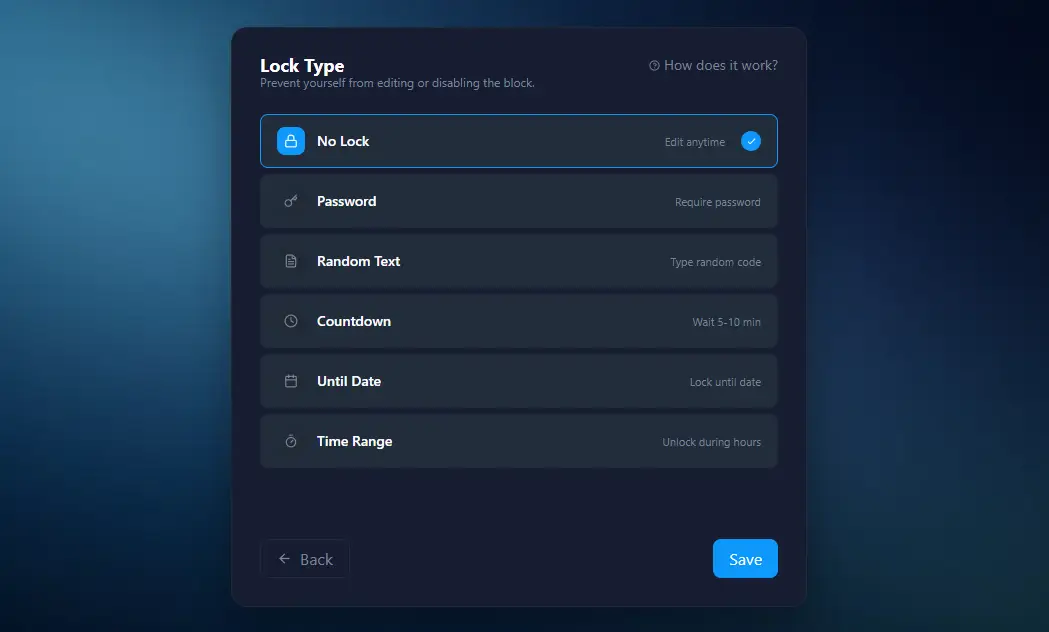
Password
Enter a password to unlock.
Random text
Type out a long generated string to unlock.
Countdown
Wait x minutes to unlock.
Time range
Unlocking is only possible inside a narrow window you set (12:05–12:10).
Until date
Pick a date in the future; it cannot be unlocked before that date arrives.
Most people use a mix. Small friction on the things they just want to cut down on, and a wall on the things they never want to see again.
What happens when you try to remove it
Uninstalling doesn't work
While a block is locked, the uninstaller won't run.
Closing or killing the app doesn't work
Enforcement runs as a Windows service, separate from the app. Ending Ascension in Task Manager changes nothing.
Restarting doesn't work
The block is back before the browser is.
Opening a different browser doesn't work
Ascension closes any supported browser running without the extension while a block is active.
Who Uses Ascension
People quitting porn
Load the premade adult-content categories for domains and keywords. Set them to always blocked and lock them until a date far enough out that the 1 a.m. version of you has no move to make.
Professionals protecting deep work
Schedules and time limits on news, Reddit, X and YouTube during working hours. Open again at 6 p.m. if you want them.
Students in exam season
Block time-consuming things and lock until the exam date. Nothing to negotiate, nothing to reconsider on a bad night.
Anyone tired of arguing with themselves
The range of locks means Ascension can be a gentle nudge for most things and an immovable wall for the two that actually matter.